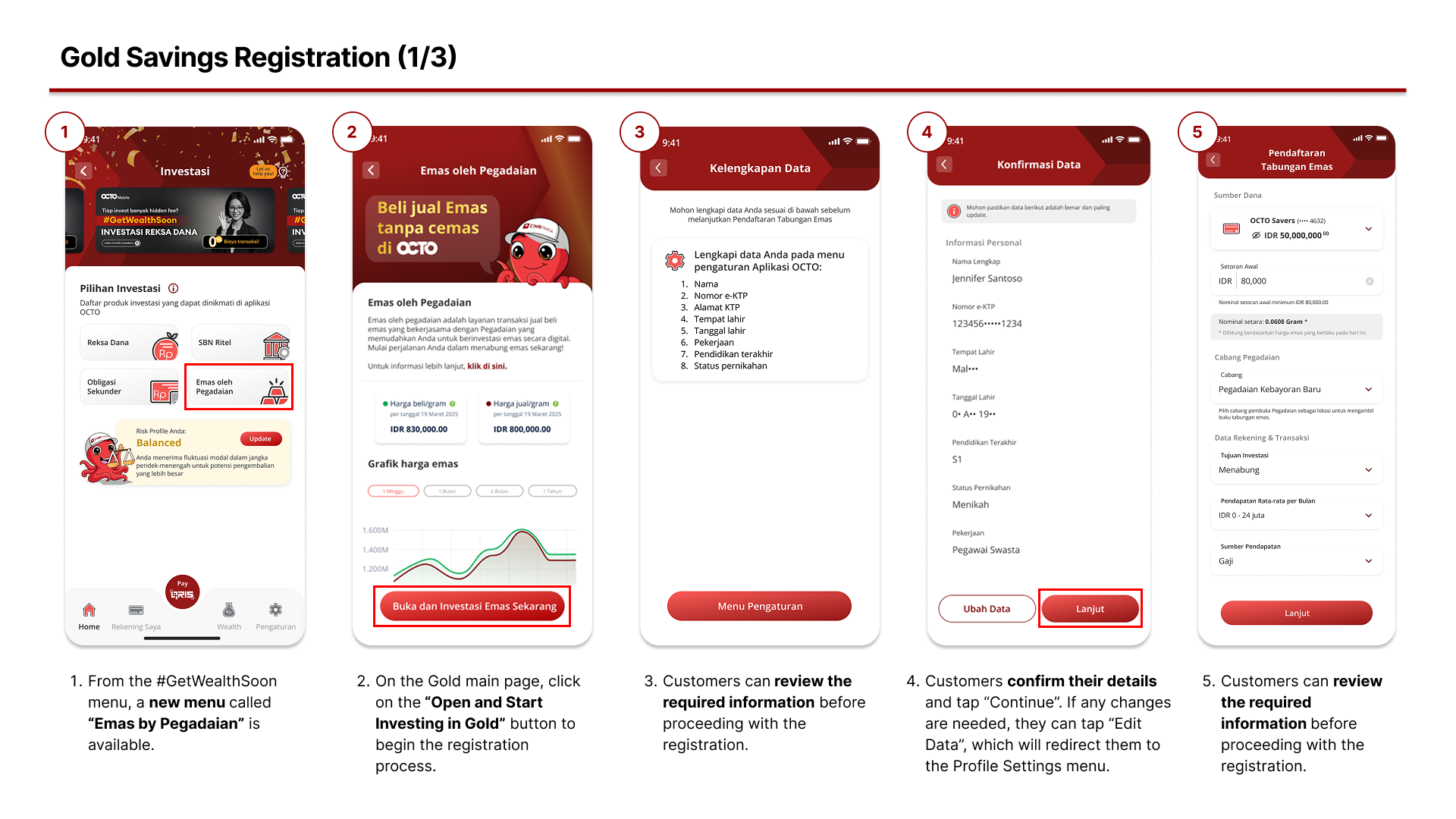
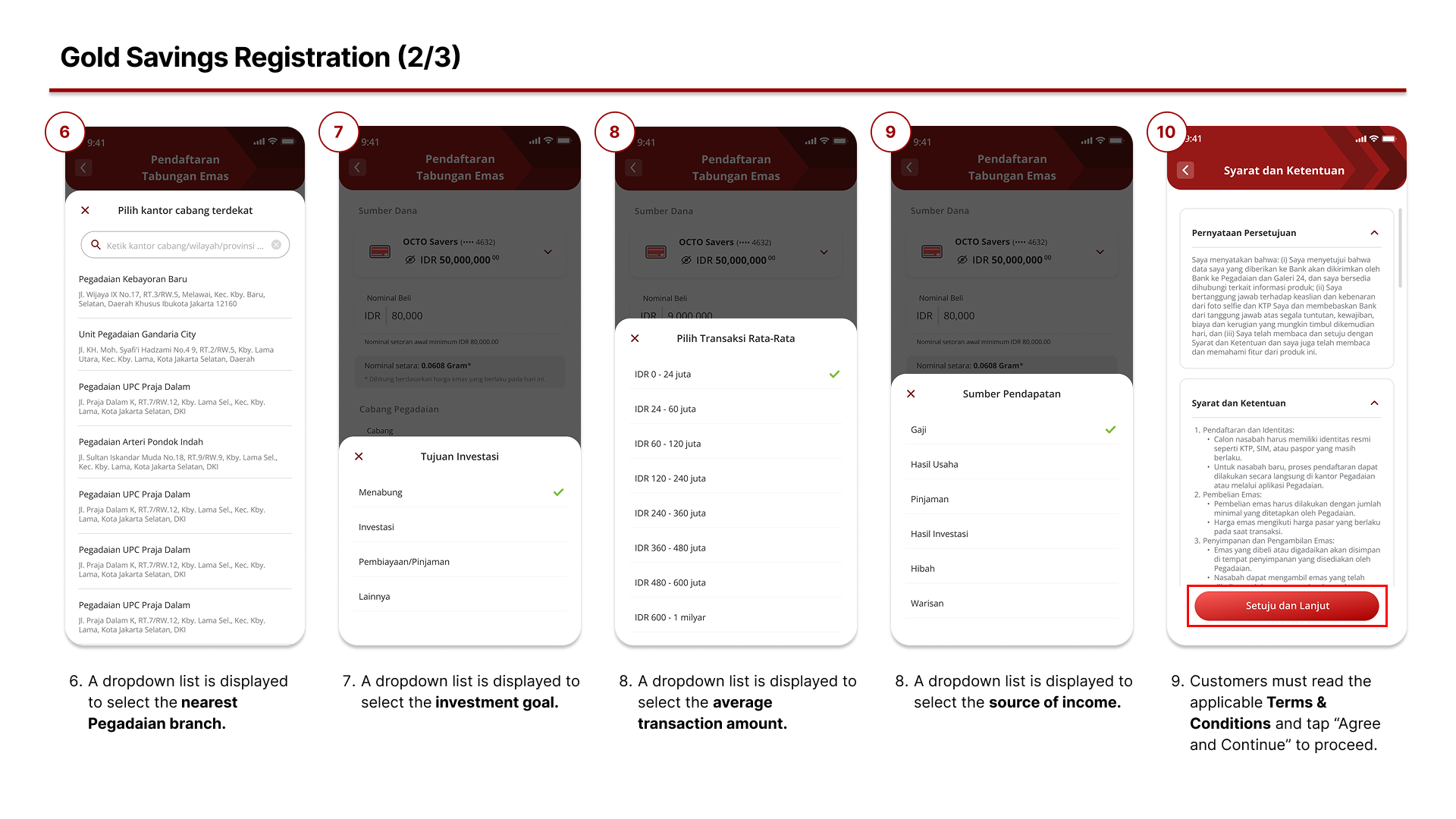
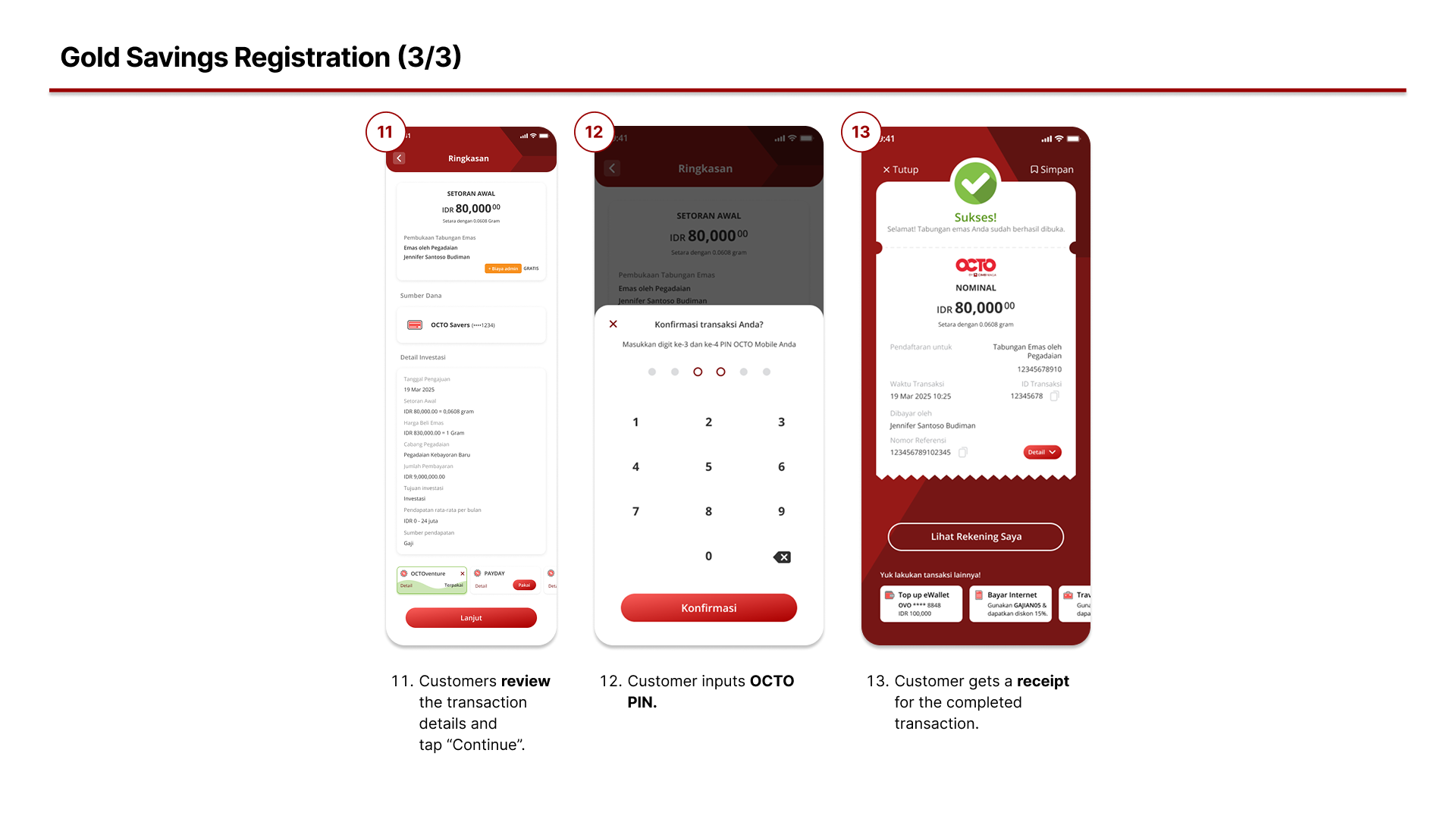
- How to Register for Gold Savings by Pegadaian?
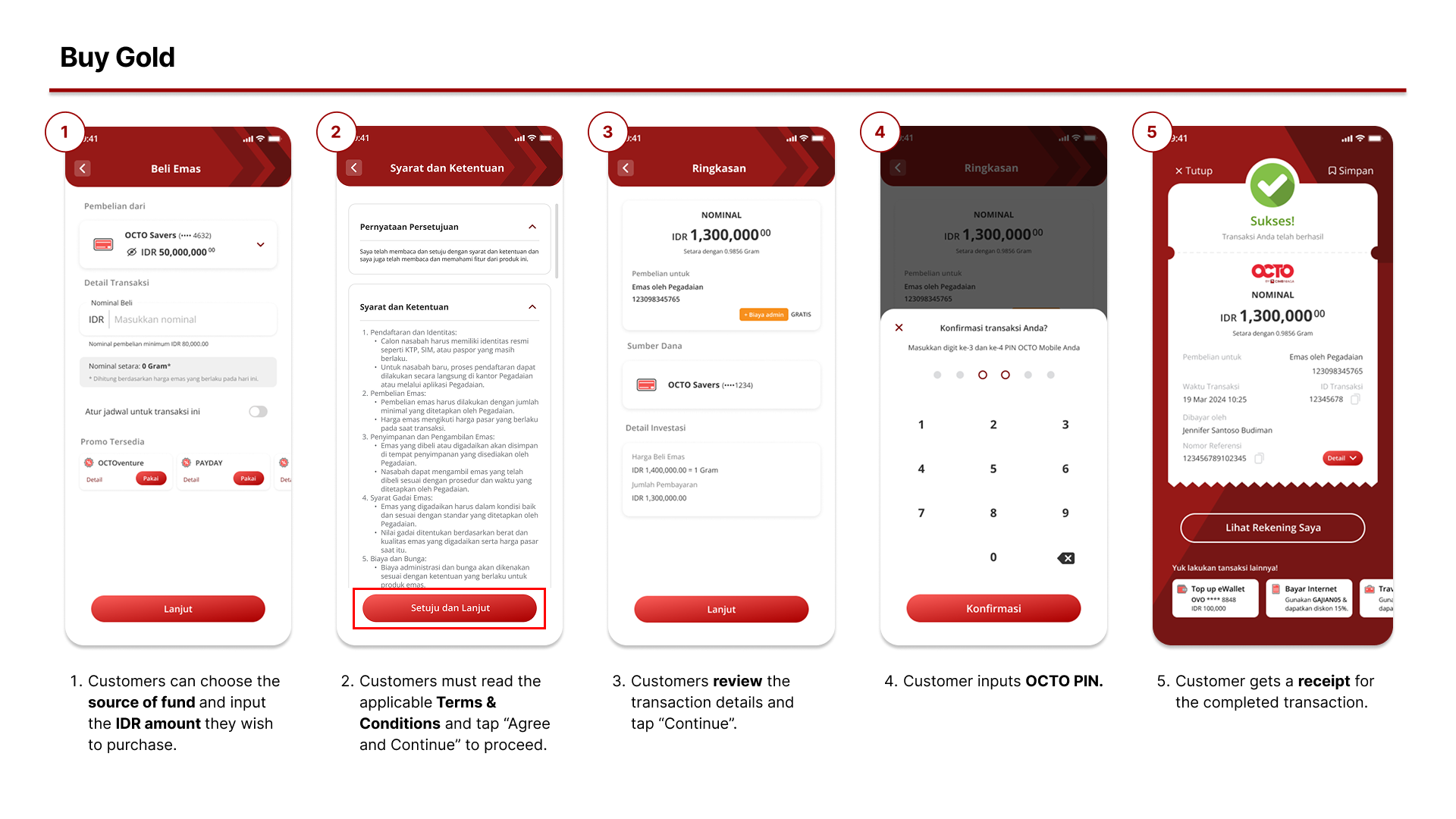
2. How to Buy Gold?
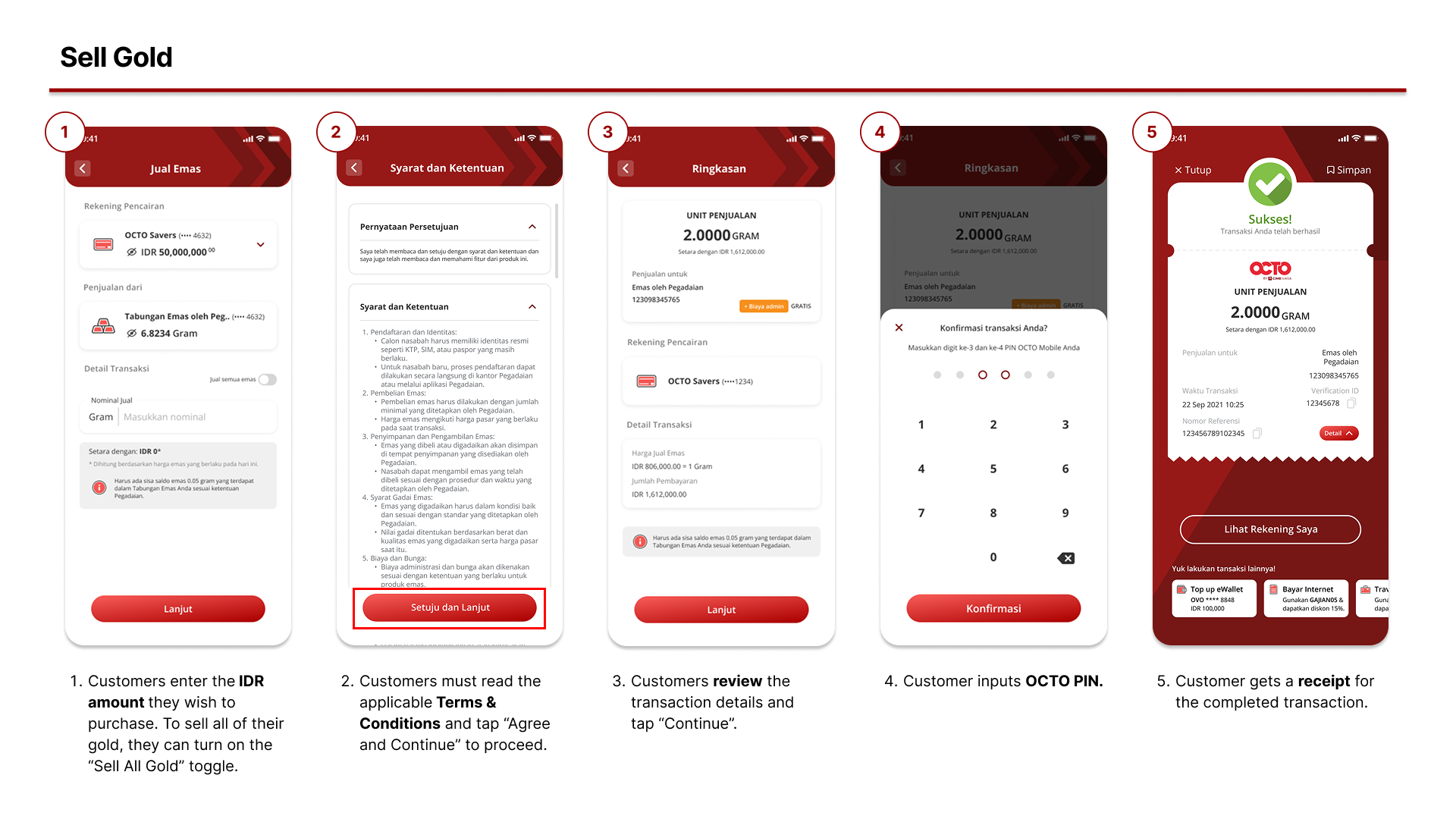
3. How to Sell Gold?
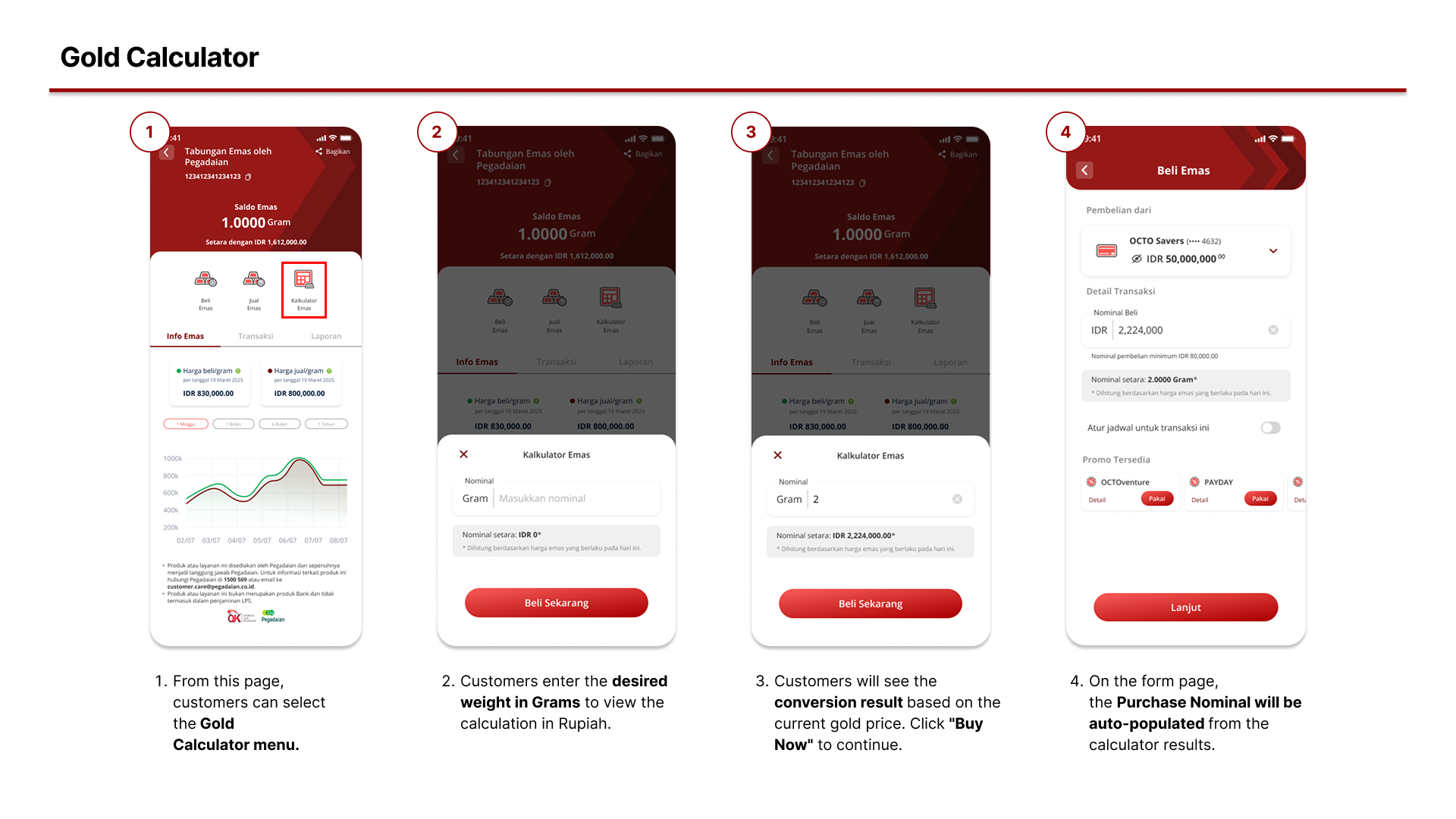
4. How to Use the Gold Caltulator feature?
Frequently Asked Questions
- How do I register for Gold Savings by Pegadaian through the OCTO App? To register, open the OCTO App, go to the #GetWealthSoon menu, then select Gold Savings by Pegadaian. Follow the registration steps by entering your personal details, initial balance amount, and other required information. Please note that Gold Savings registration is only available to customers who have at least one CASA account.
- Is there a registration fee for Gold Savings by Pegadaian via the OCTO App? There is no registration fee. The registration process is completely free of charge.
- How do I buy gold through the OCTO App? To buy gold, customers must complete the registration first. Once registered, access the Gold Savings by Pegadaian menu and tap Buy Gold. Enter the purchase amount and gold quantity, then complete the transaction using the available balance in your account.
- What is the minimum and maximum amount for buying or selling gold in the OCTO App? The current minimum purchase amount is IDR 80,000, while the maximum purchase limit is 100 grams. Purchase limits and amounts may change at any time in accordance with applicable terms and conditions.
- Does the gold price in the OCTO App follow real-time market prices? Yes, the gold prices offered in the OCTO App follow real-time market prices.
- Can I sell the gold I purchased through the OCTO App? Yes. To sell your gold, go to the Sell Gold menu under Gold Savings by Pegadaian, select the amount of gold you wish to sell, and the transaction will be processed automatically. The proceeds will be credited directly to your account.
- Can gold be sold at any time? Yes, gold sales through the OCTO App can be made anytime and anywhere.
- How long does it take for the funds from gold sales to be credited? The disbursement process is real-time. Once the transaction is completed, the funds will be credited directly to your registered account.
- Is there an administrative fee for selling gold? No, there are no administrative fees for selling gold through the OCTO App.
- Can I view my gold purchase and sale transaction history? Yes. You can view your transaction history by going to the Gold Account Details menu and selecting Transactions
- Is there a calculator to simulate gold investments in the app? Yes. The Gold Calculator is available in the OCTO App under Gold Account Details, then select Gold Calculator.