How to Use the Tap to Pay Feature?
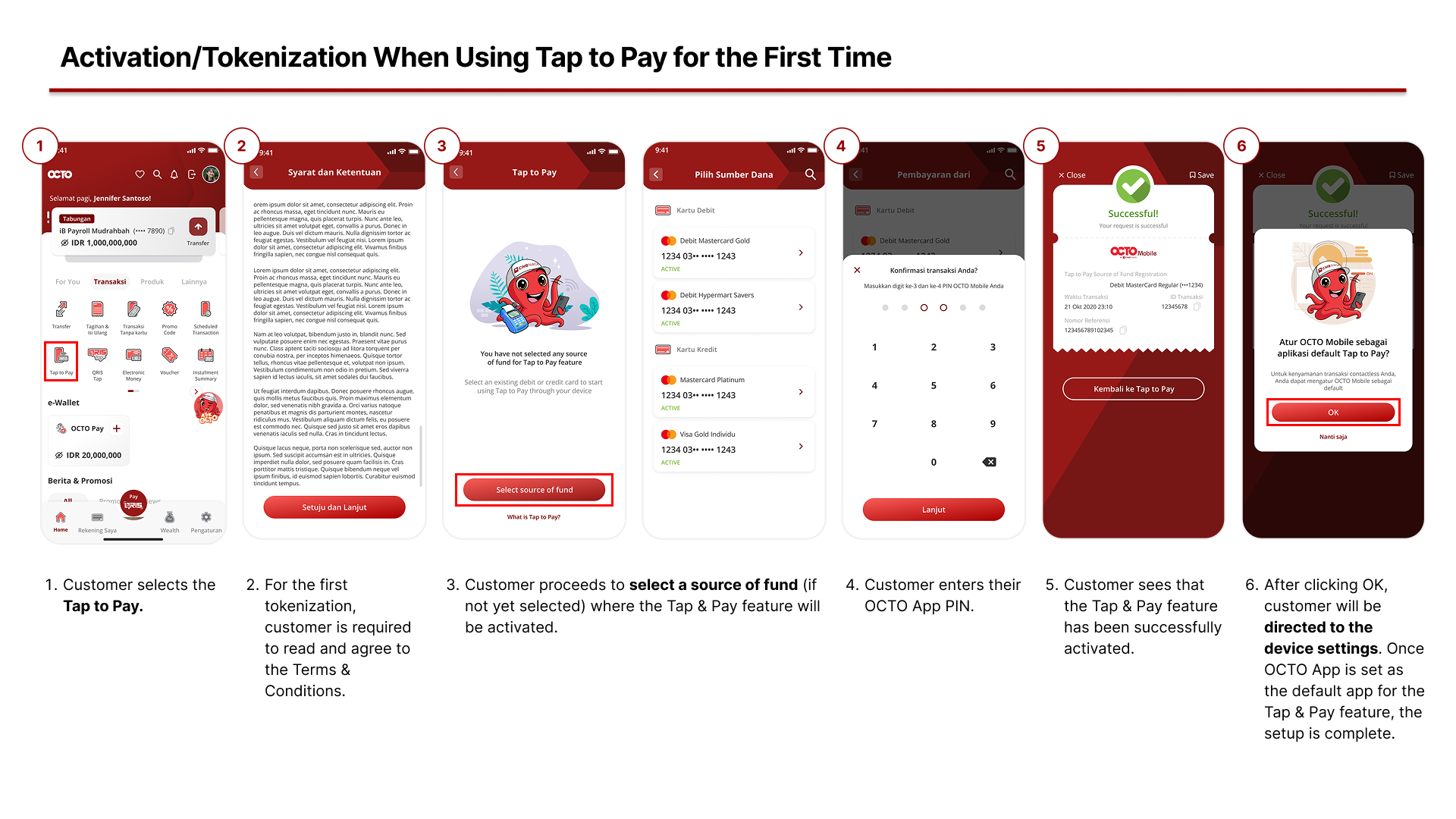
- How to Set Up the Tap to Pay Feature for the First Time?
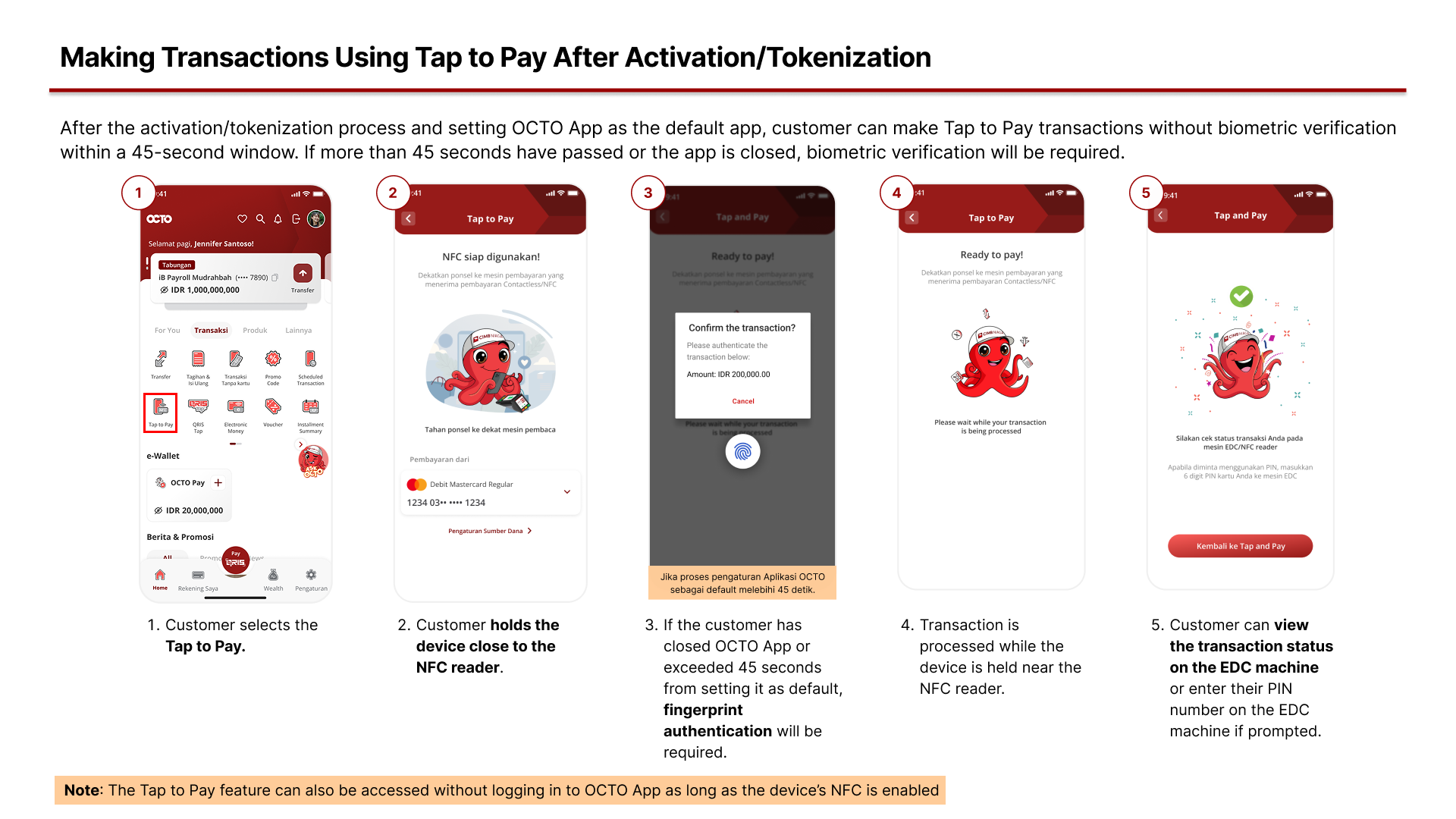
2. How to Make Transactions using Tap to Pay after Activation/Tokenization?
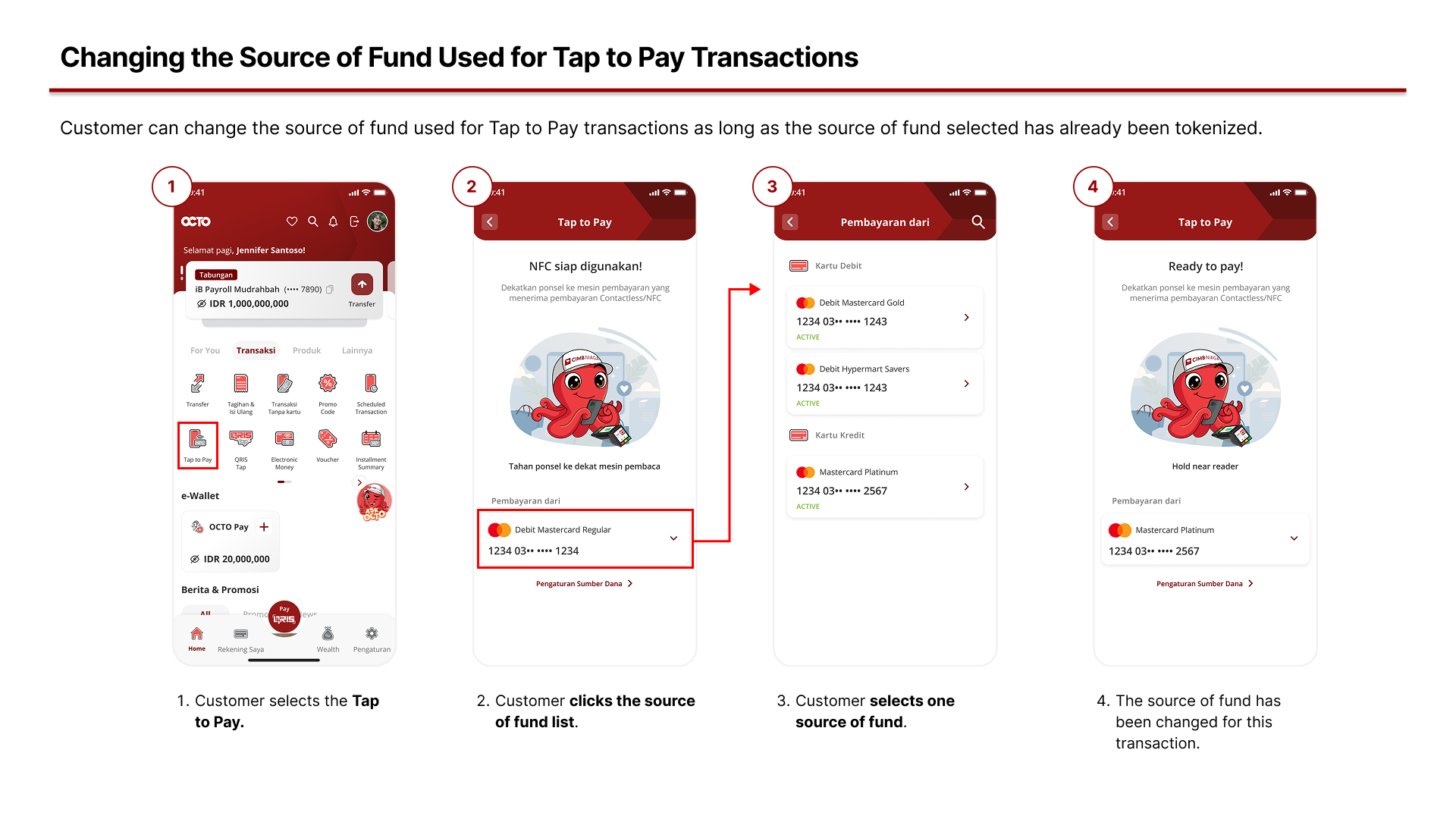
3. How to Change the Source of Fund used for Tap to Pay Transactions?
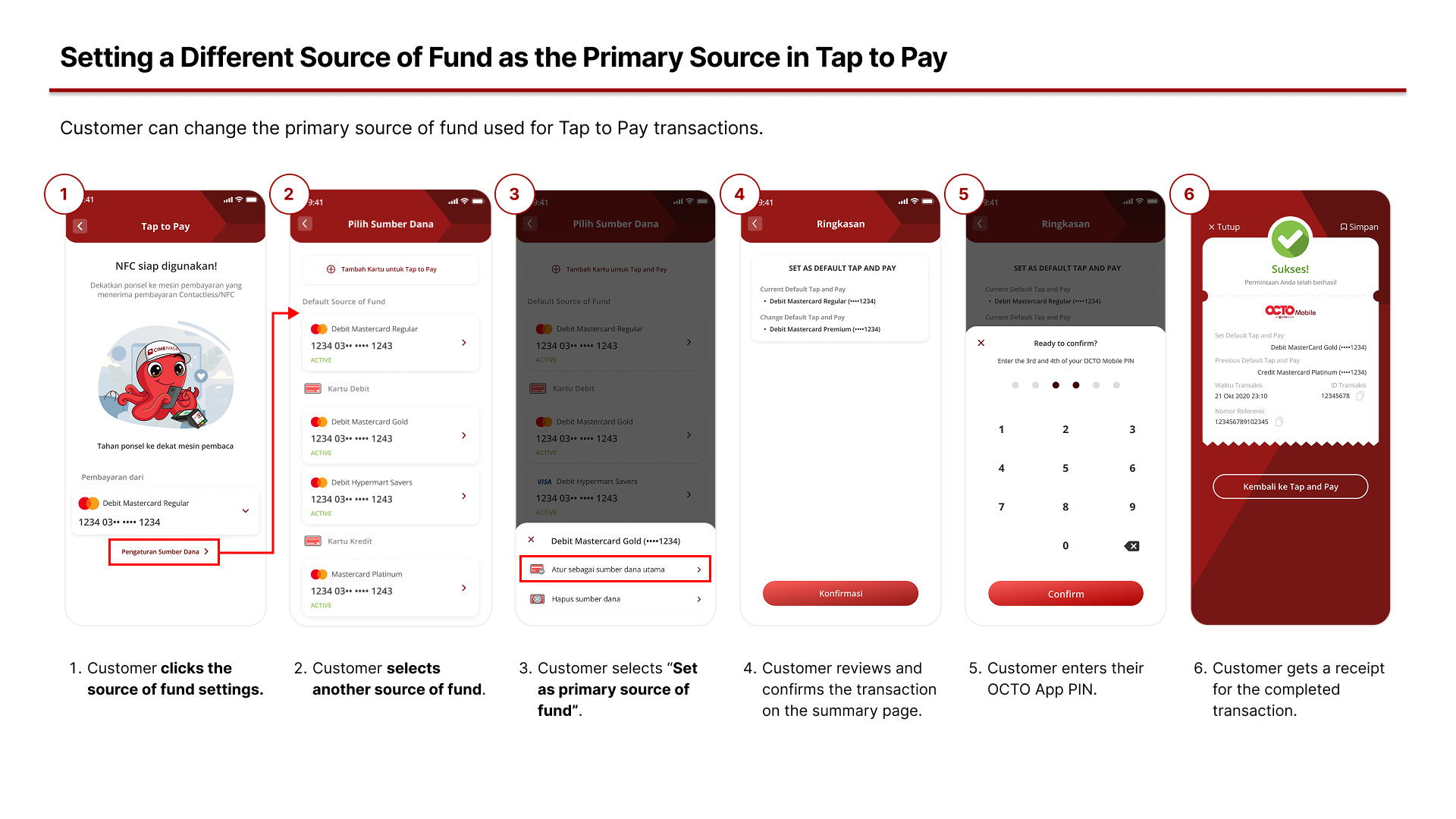
4. How to Set a Different Source of Fund as the Primary Source for Tap to Pay Transactions?
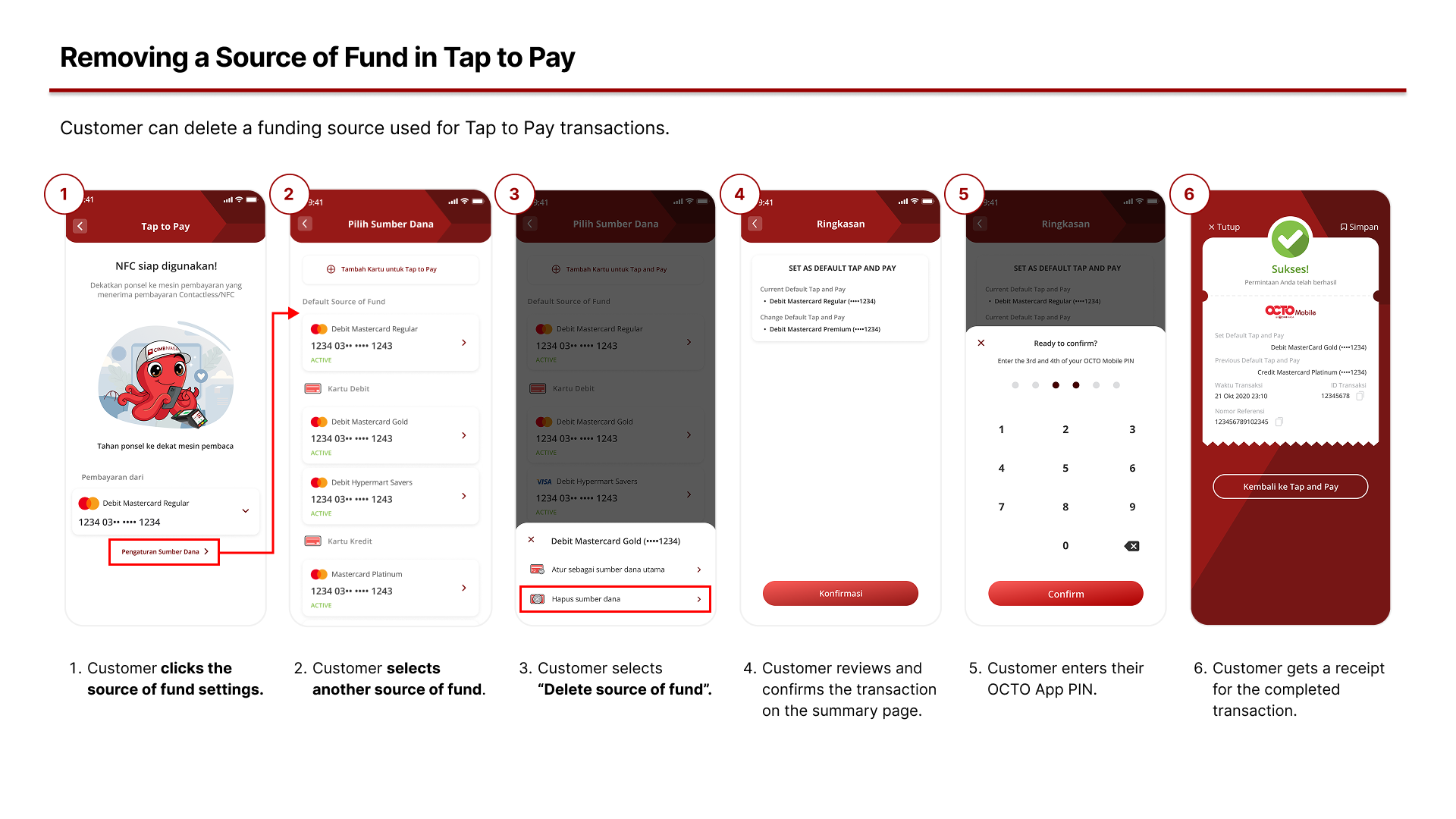
5. How to Remove a Source of Fund in the Tap to Pay feature?
Frequently Asked Questions:
- Can I use OCTO Pay as a funding source for Tap to Pay transactions using the NFC feature in the OCTO App? At the moment, the available funding sources for Tap to Pay transactions using the NFC feature in the OCTO App are Savings Accounts and Credit Cards with the Mastercard logo.
- Can I still use my physical card after activating/tokenizing Tap to Pay? Yes, you can still use your physical card for transactions at EDC machines. The Tap to Pay feature simply provides an additional way to “store” your physical card on your device.
- Is there a transaction limit for Tap to Pay? Daily transaction limits vary based on the type of card used. For debit card, the daily transaction limit is IDR 1,000,000. For credit card, the daily transaction limit follows your individual credit card limit. For transactions of IDR 1,000,000 or more, you are required to enter your card PIN on the EDC machine.
- Why doesn’t my debit or credit card appear as a funding source when I want to make a transaction? Your debit or credit card must be activated/tokenized before it can be used as a transaction funding source. Please also ensure that the card you want to tokenize has the Mastercard logo.
- Is there any difference between NFC Tap to Pay and QRIS Tap in the OCTO App? Yes, there are several differences between NFC Tap to Pay and QRIS Tap in the OCTO App, as outlined below:
- Usage coverage: Tap to Pay can be used both domestically and internationally, as long as the card principal (Mastercard) supports the transaction. QRIS Tap only supports domestic transactions.
- Funding sources: QRIS Tap supports CASA accounts and Credit Cards. Tap to Pay supports Savings Accounts and Credit Cards with the Mastercard logo only.
- Tokenization: Funding sources for QRIS Tap can be used immediately and do not require tokenization, unlike Tap to Pay.
- Funding source management: Funding sources for QRIS Tap cannot be removed, while funding sources for Tap to Pay can be managed and removed.
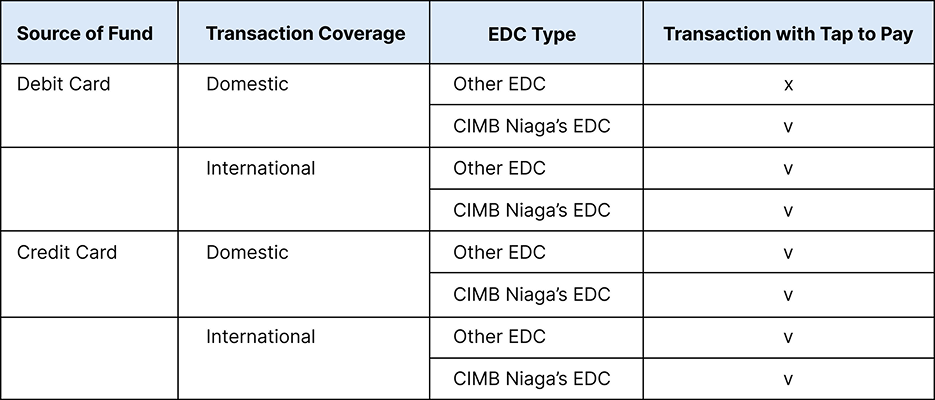
- Can I use Tap to Pay outside Indonesia? Yes, this feature can be used both domestically and internationally, as long as the card principal (Mastercard) supports the transaction. Please refer to the usage table below for details.