Frequently Asked Questions
- What is OCTO? OCTO is CIMB Niaga’s digital banking service, accessible through both the mobile app and website. OCTO is the new name for CIMB Niaga’s comprehensive digital banking services. In this case, OCTO Mobile and OCTO Clicks are simply renamed as OCTO. This name change does not affect the quality or type of banking services we have always provided.
- Why did the name change to OCTO? What’s different now? With the name change to OCTO, we’re bringing you a more integrated experience by combining our digital banking services into one unified platform, accessible via both mobile and web. Along with this new experience, once your User ID is the same, you can use a single User ID to log in anywhere—whether via OCTO App (formerly OCTO Mobile) or OCTO Website (formerly OCTO Clicks)—making your digital banking experience simpler, more practical, and more efficient.
- What is an OCTO User ID and how is it different from my current User ID? Your OCTO User ID is the same as the User ID you currently use to log in to the OCTO App (formerly OCTO Mobile) and OCTO Website (formerly OCTO Clicks). By selecting or creating an OCTO User ID, you can immediately use it to log in and access both of our digital banking channels through the OCTO App and OCTO Website.
- Why do I need to use the same User ID on OCTO App and OCTO Website? To improve our services, security, and customer experience, you can now access both our digital banking services via OCTO App and OCTO Website using just one User ID. This means you no longer need to remember two different User IDs and can enjoy seamless access to all available banking services.
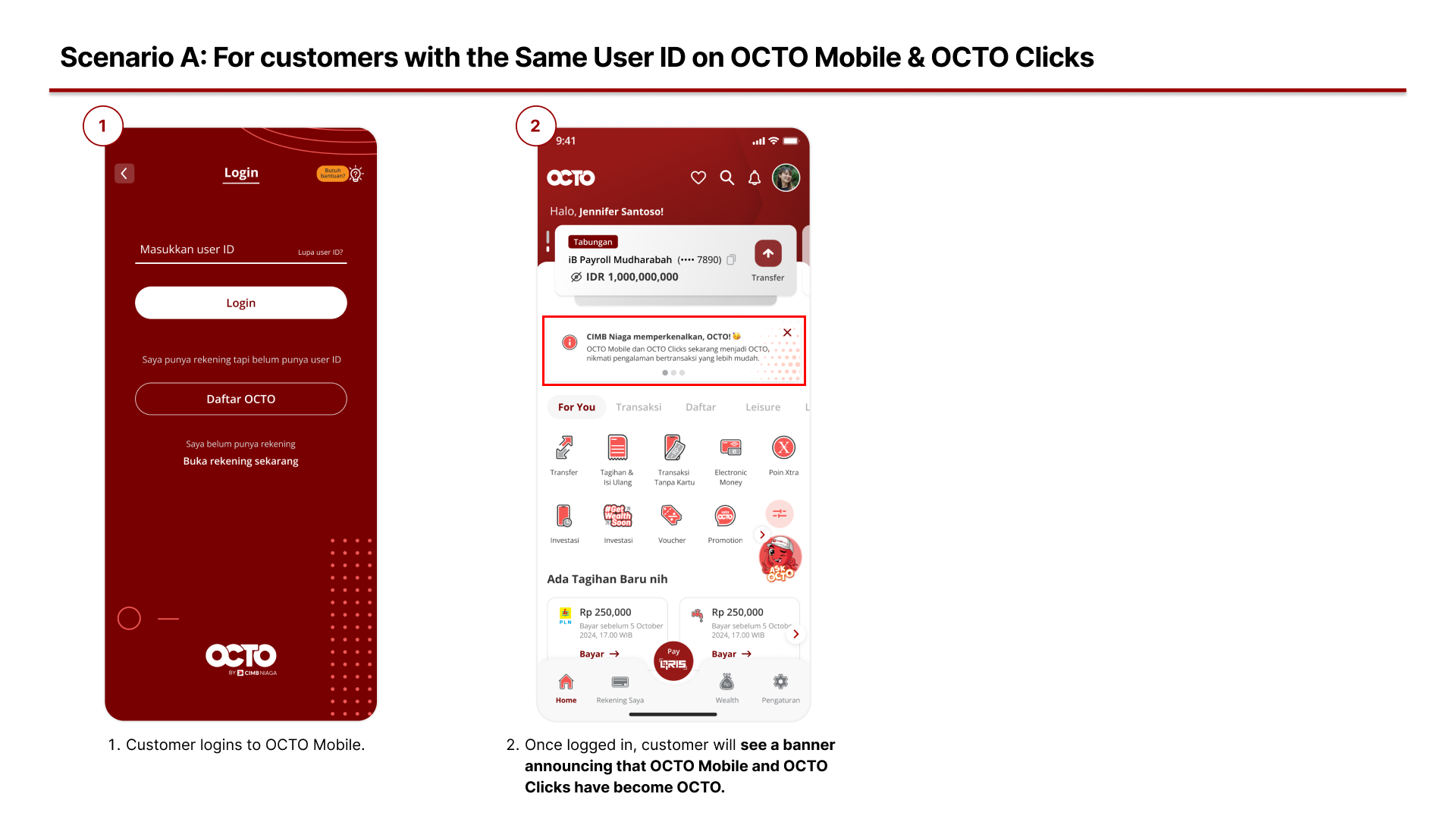
- If my OCTO Mobile and OCTO Clicks User IDs are already the same, do I still need to change them? If your current User ID is already the same for both OCTO App and OCTO Website, you can continue using it without making any changes.
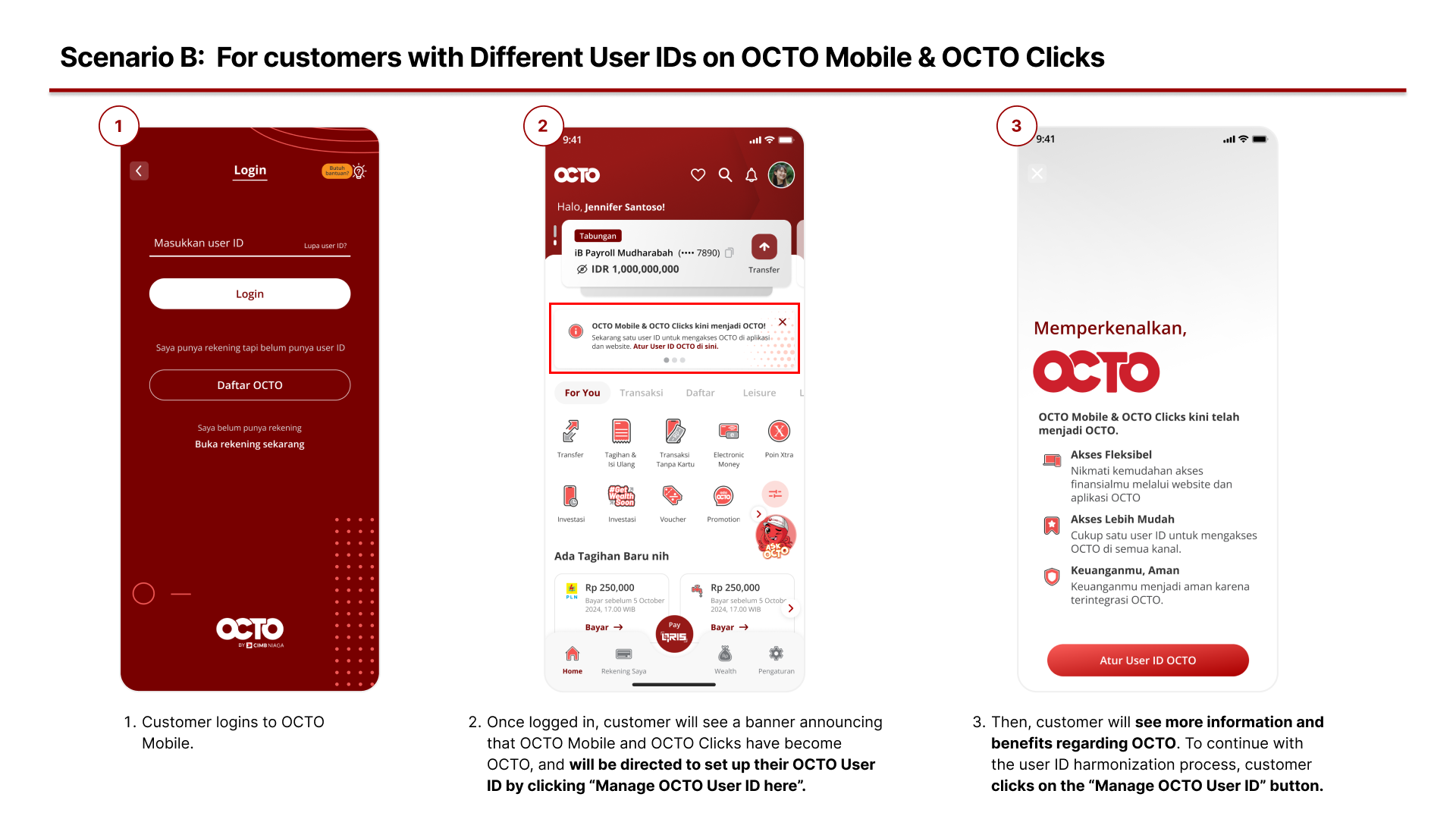
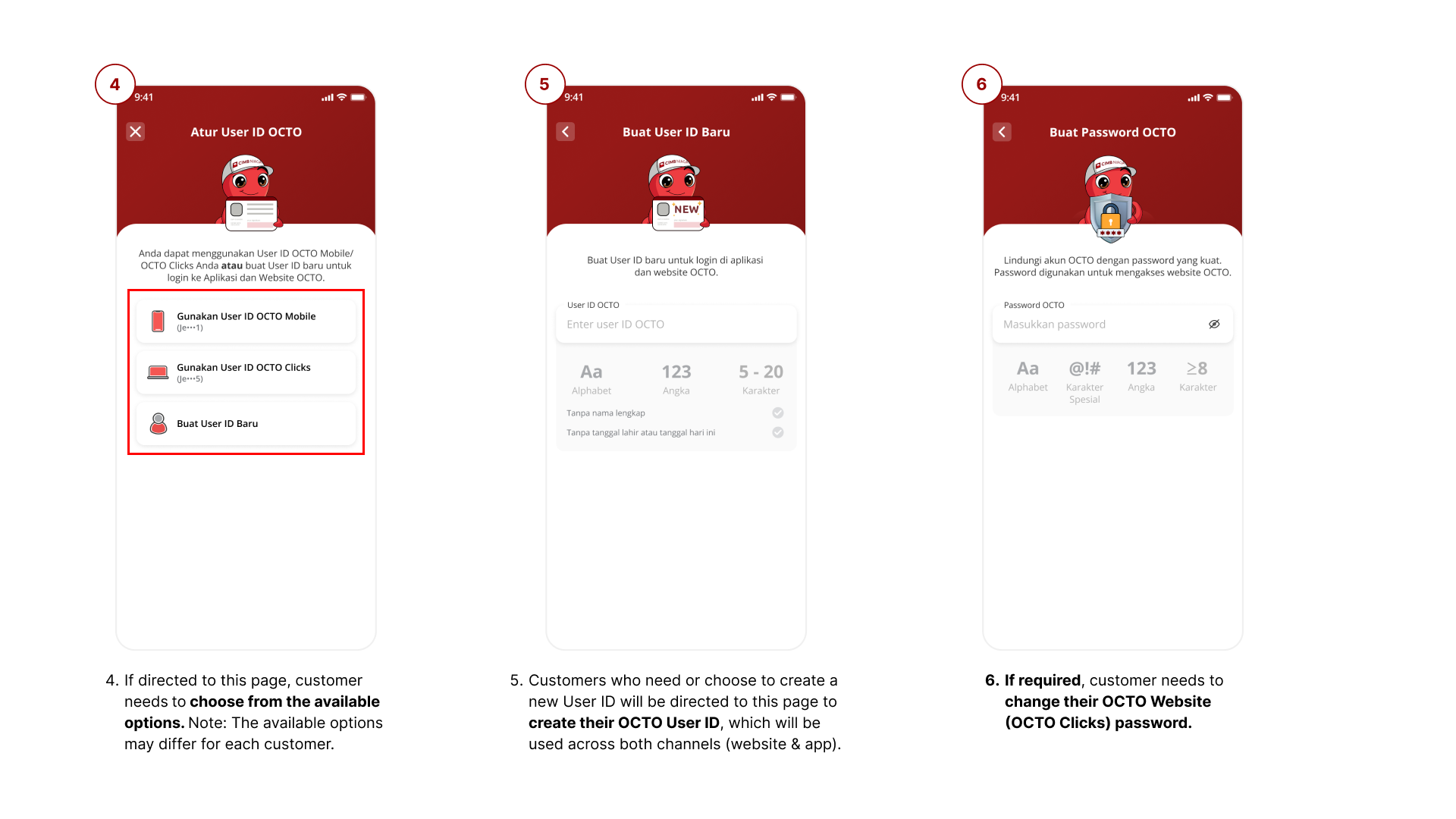
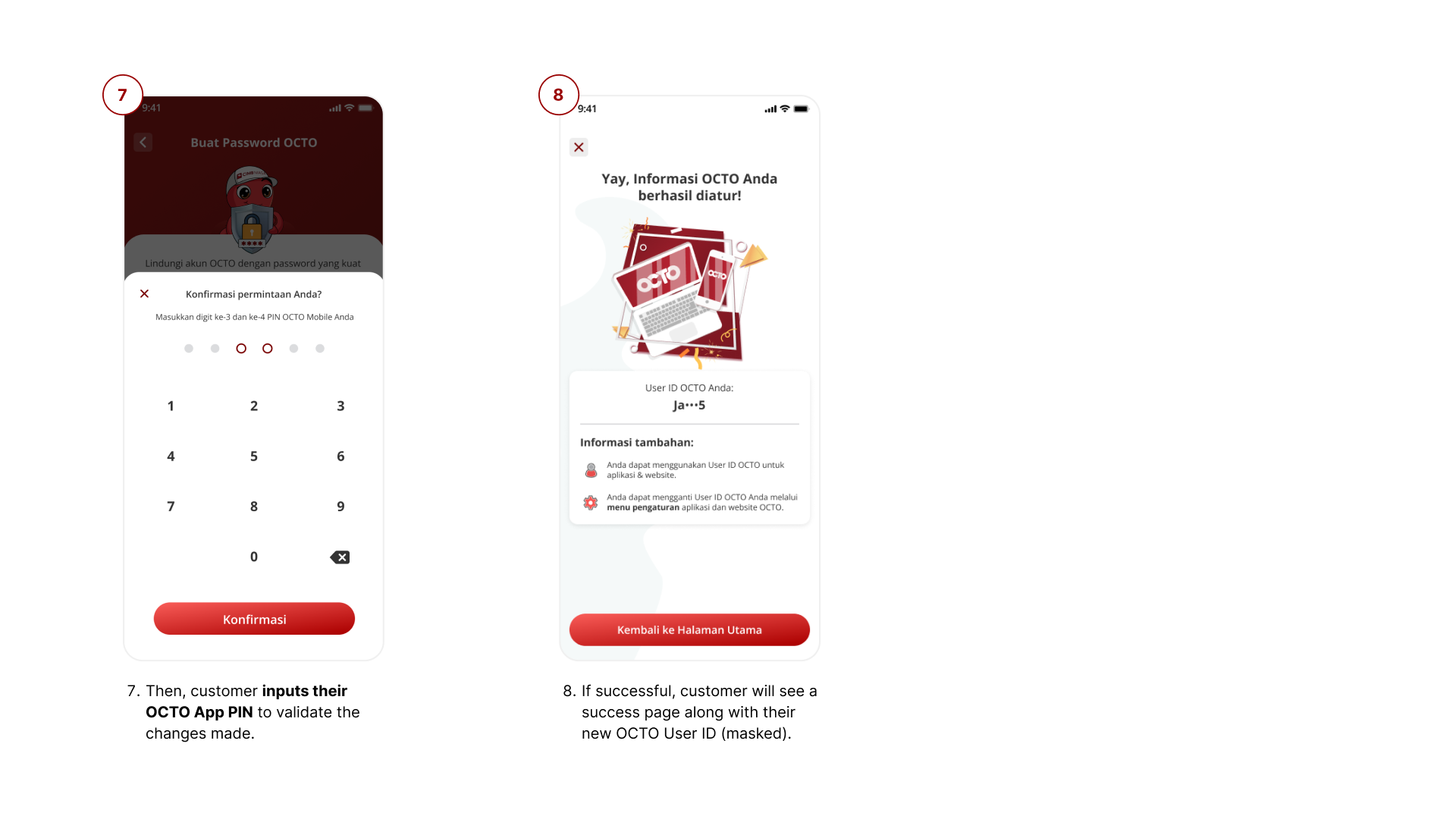
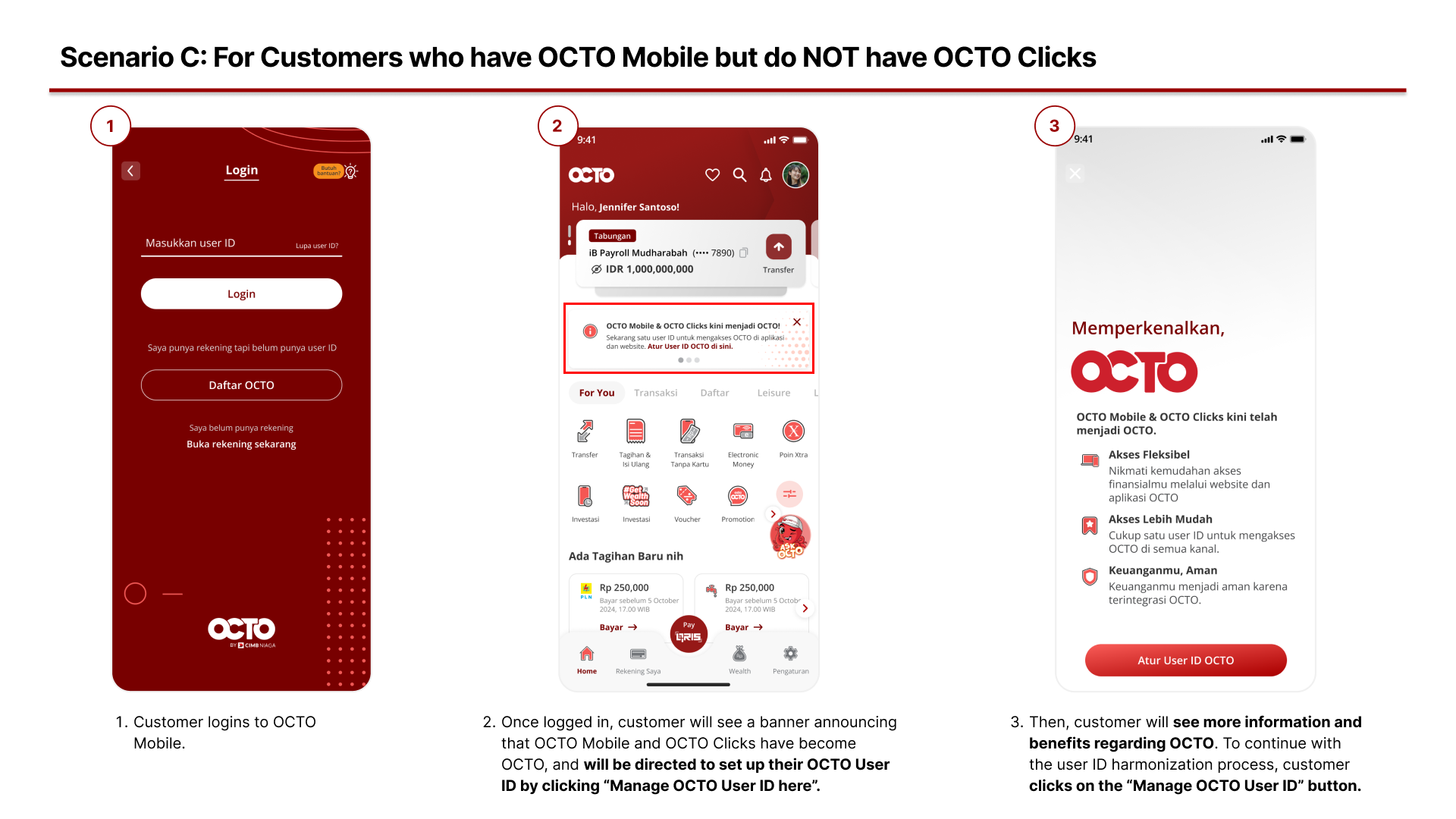
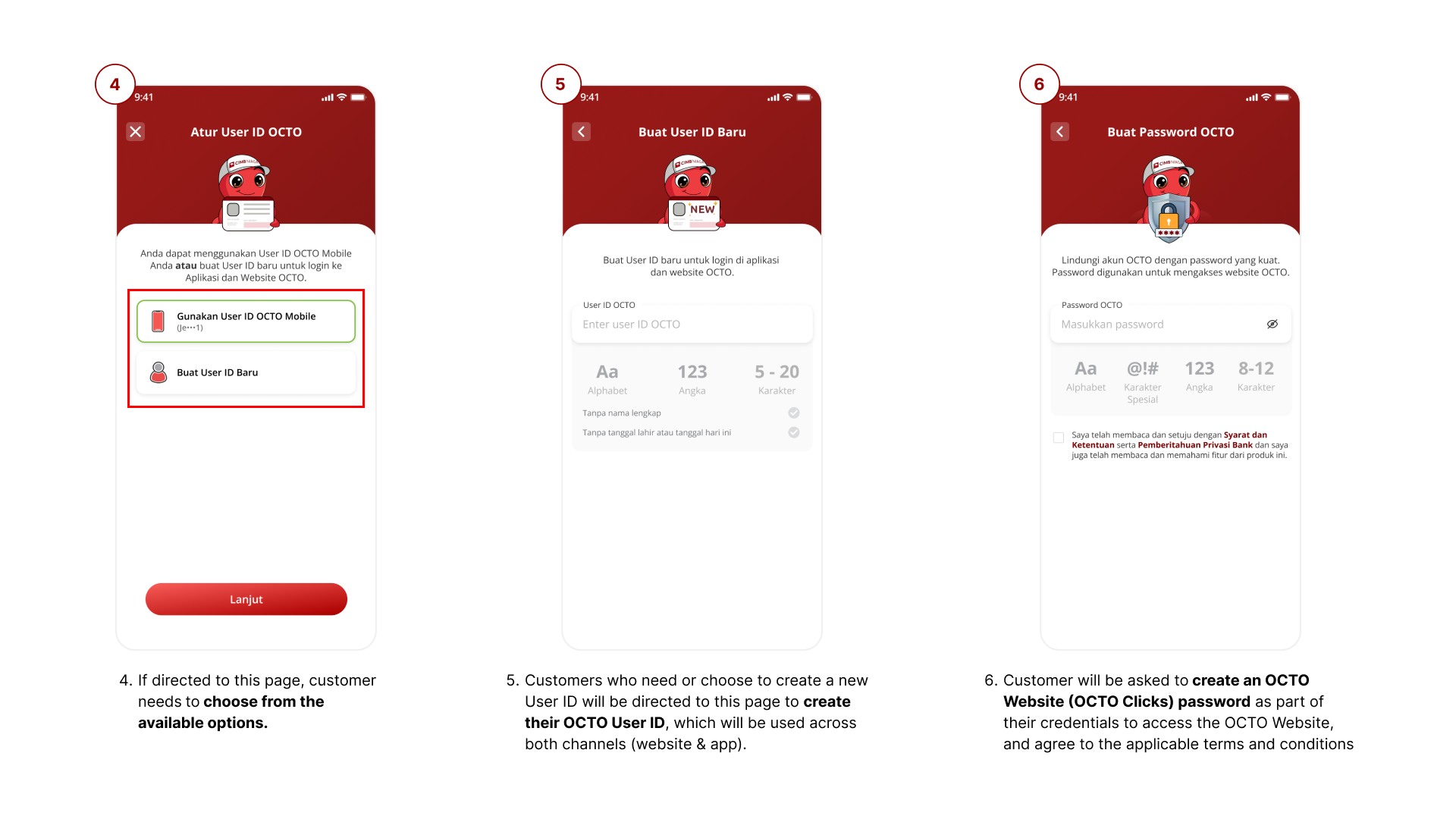
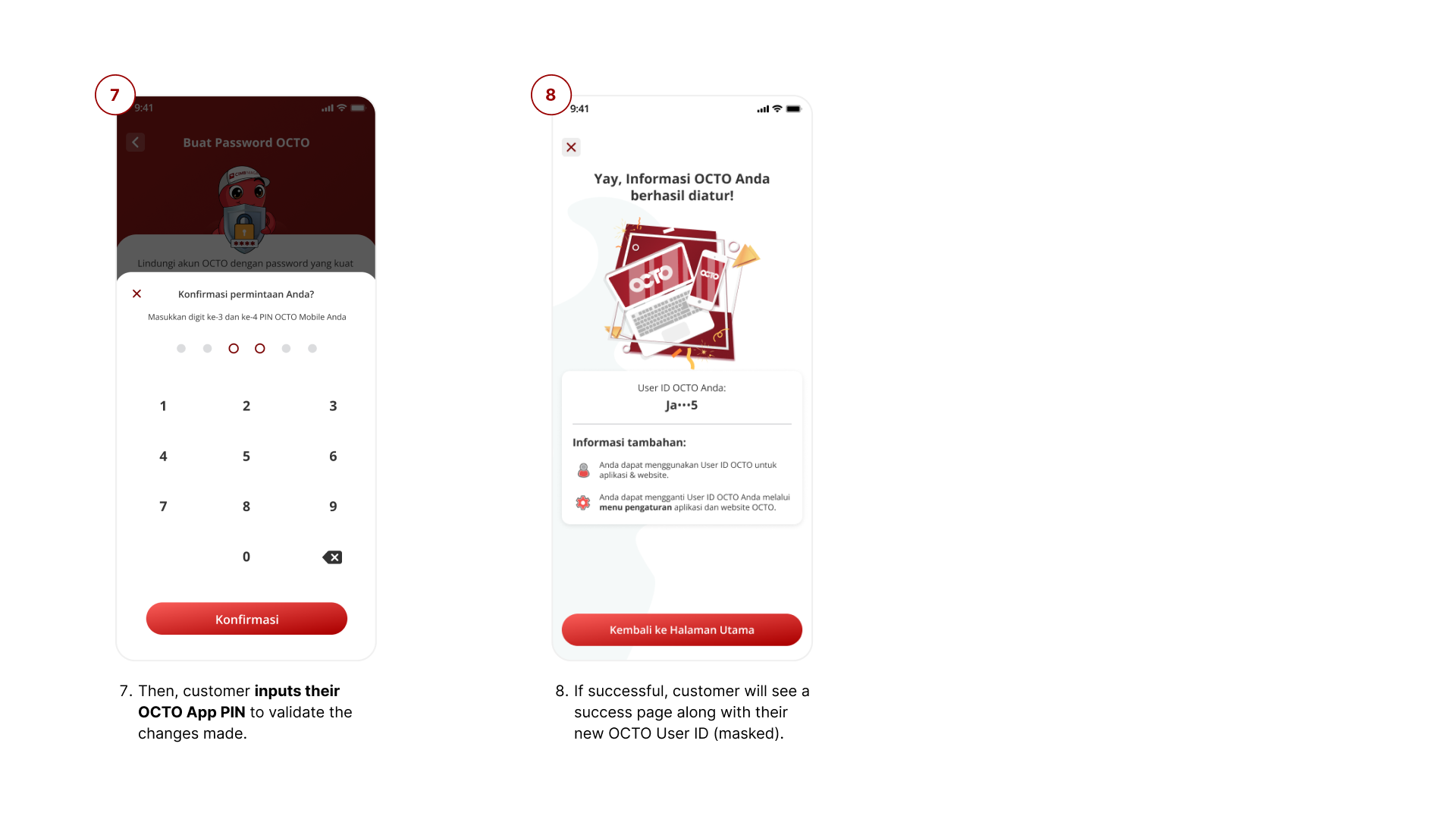
- If my OCTO Mobile and OCTO Clicks User IDs are different, how can I make them the same? You can harmonize your OCTO Mobile and OCTO Clicks User IDs through either the app or the website. For more detailed information, please refer to the tutorial below that best fits your situation
- Can I use both OCTO channels immediately after updating my User ID? Yes, you can instantly use both OCTO App and OCTO Website and access our banking services.
- What if I don’t want to change my User ID? If you do not update or create a new User ID within the required time, you will no longer be able to perform digital transactions on OCTO. This applies to both OCTO App and OCTO Website. For your security and convenience, we strongly recommend using one User ID so you can enjoy our full range of banking services with ease.
- Why do I need to change my password when updating my User ID? For your security, we recommend updating your OCTO password regularly. Therefore, the password update process is required when you update your OCTO User ID.
- Why do I need to change my current User ID? This update ensures your new User ID can be used across both OCTO channels, giving you a more complete digital banking experience. For your convenience and security, we recommend using one User ID for both channels so you can access all our services seamlessly.
- Why is the “Change User ID” feature not available? The “Change User ID” menu in OCTO App and OCTO Website settings is currently unavailable. You can update your User ID via the provided banners. Further information will be given once the menu is available again.
- Where can I find more information about OCTO? How can I contact OCTO Services? For more information about OCTO, you can reach us through:
- Chat OCTO via OCTO App & OCTO Website
- Call OCTO via OCTO App
- Contact Center: 14041
- Email: 14041@cimbniaga.co.id
- WhatsApp: +62 811 9781 4041
- Instagram: @cimb_niaga
- Facebook: CIMB Niaga
- Twitter: @cimbniaga
Tutorial for User ID Harmonization