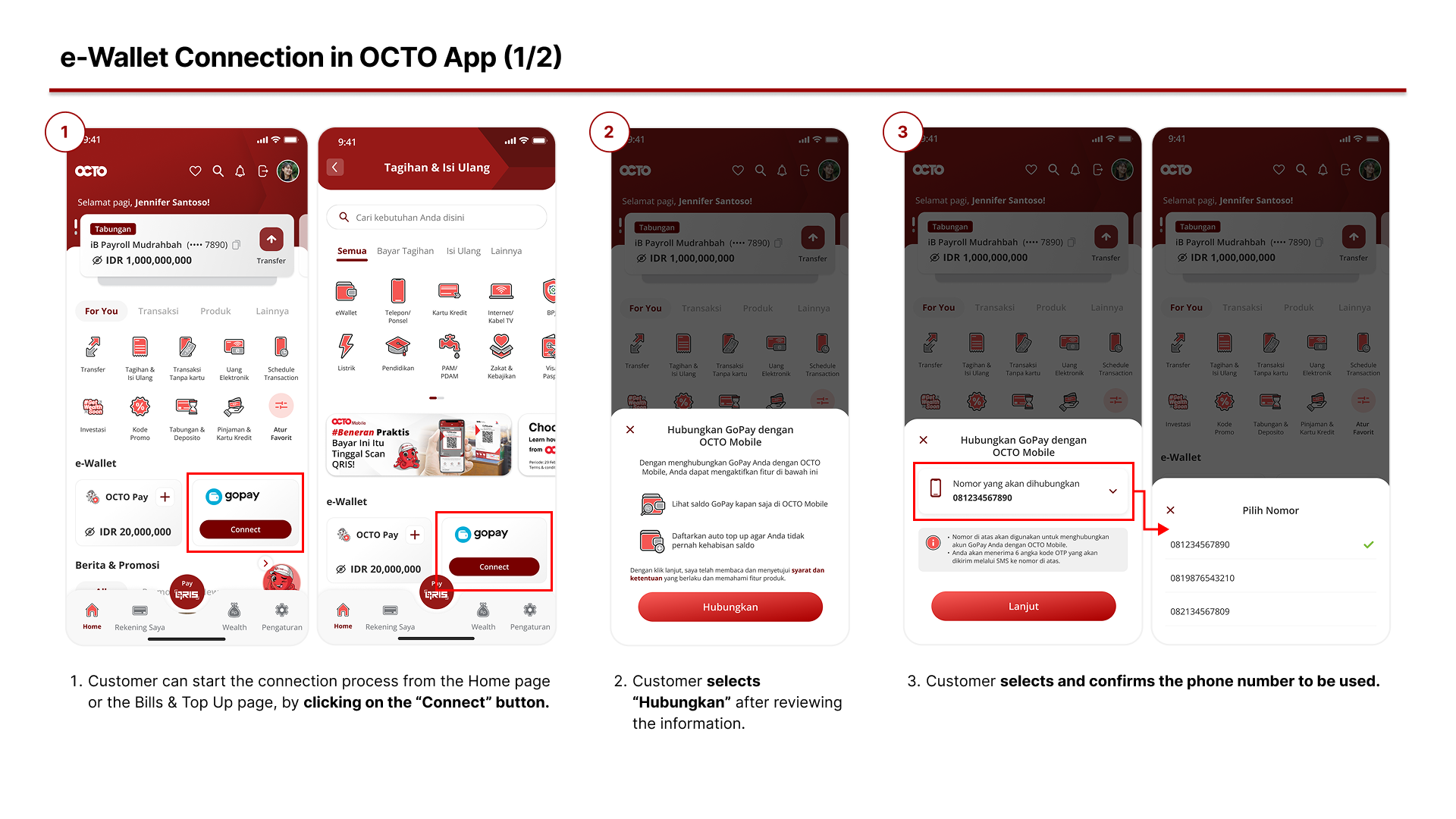
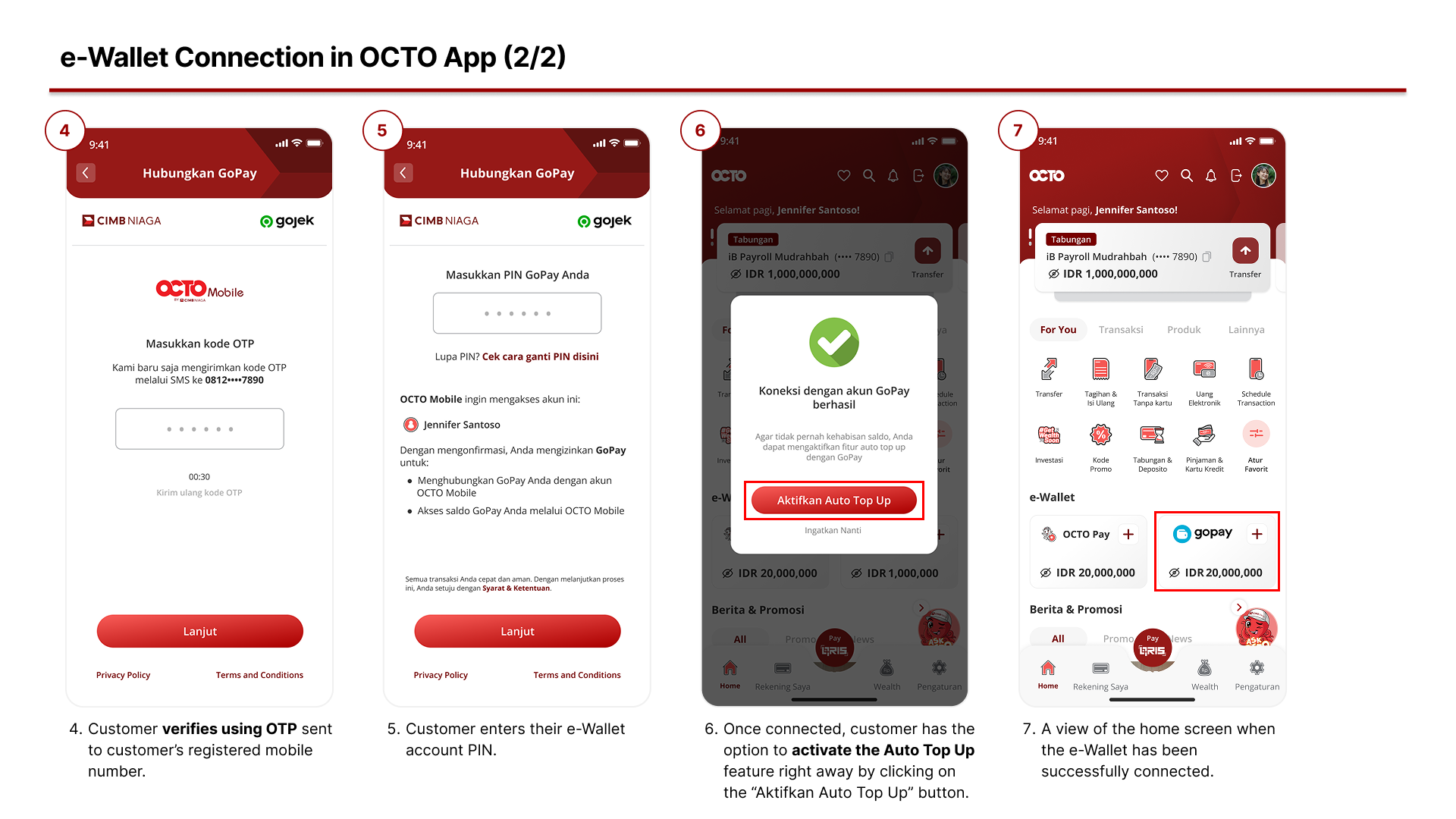
How to Connect my e-Wallet?
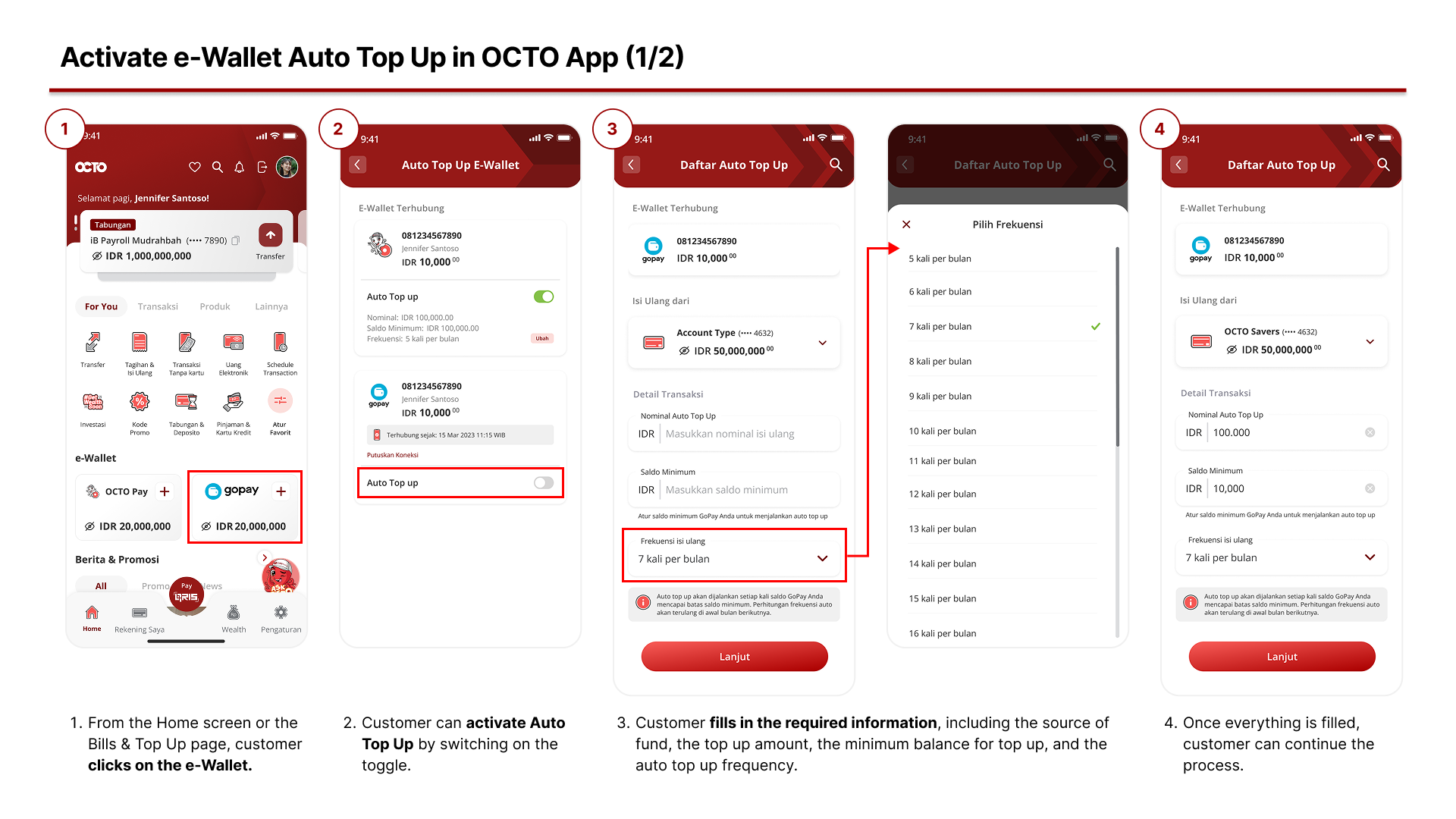
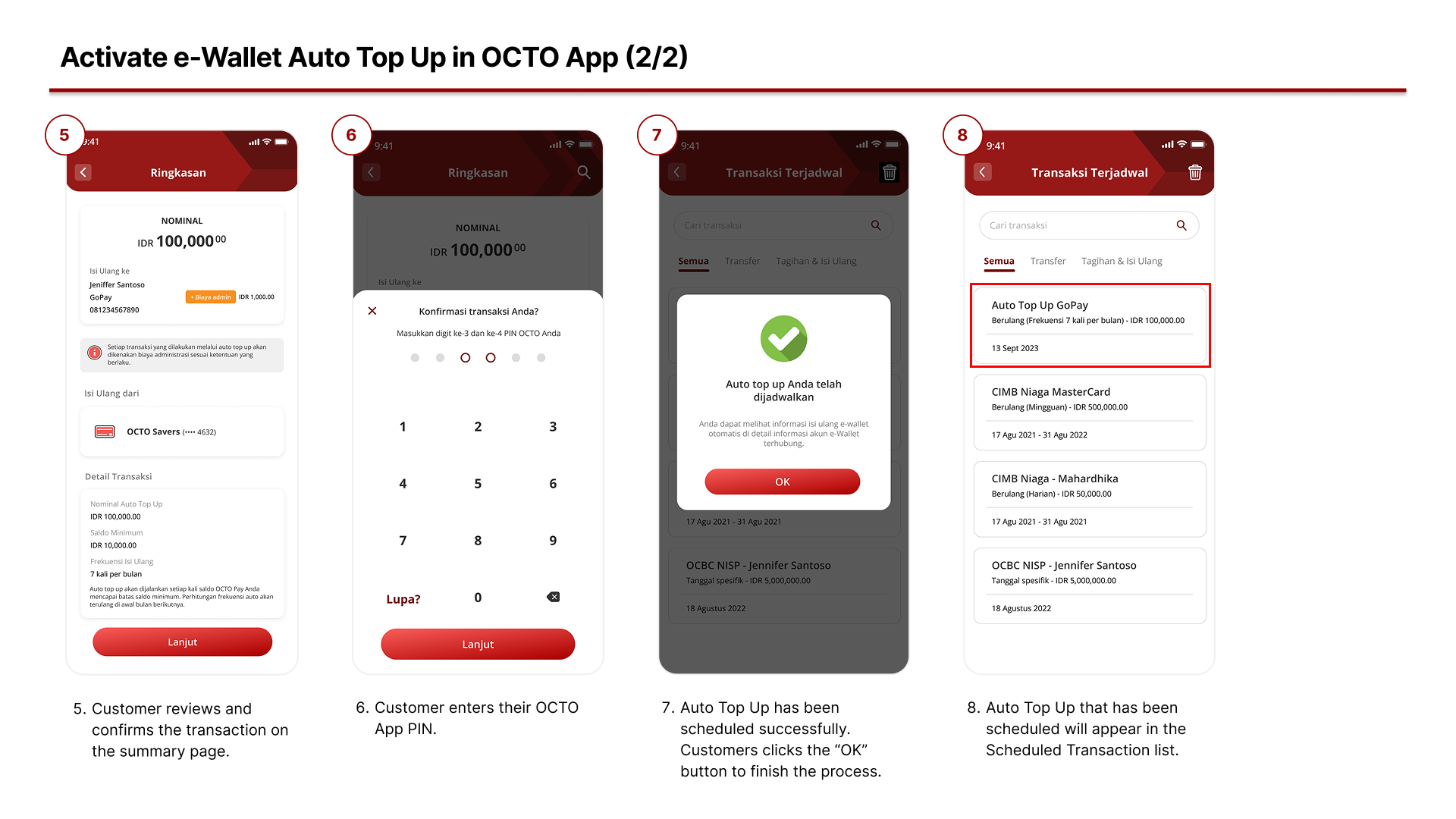
How to Activate e-Wallet Auto Top Up?
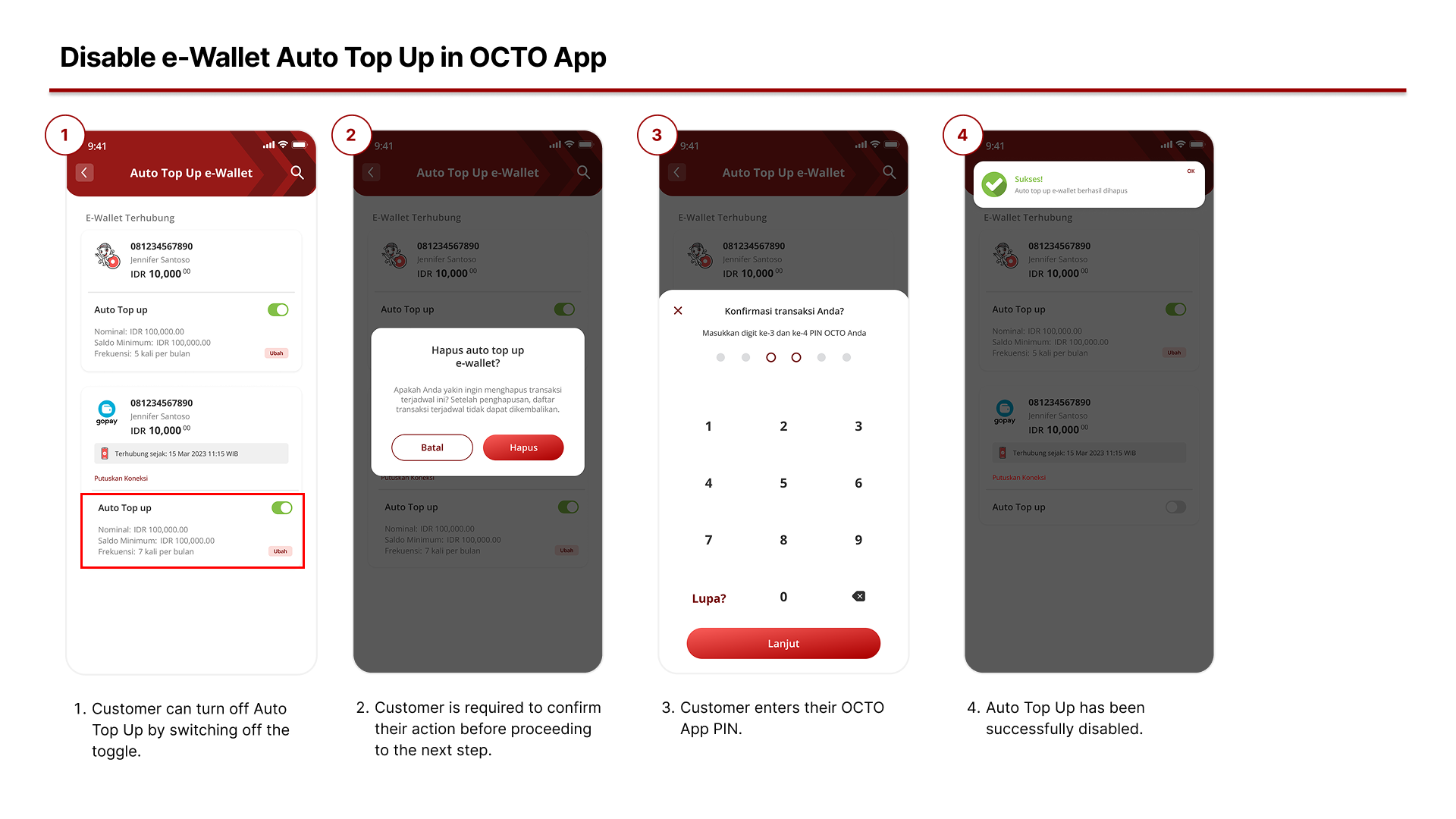
How to Disable e-Wallet Auto Top Up?
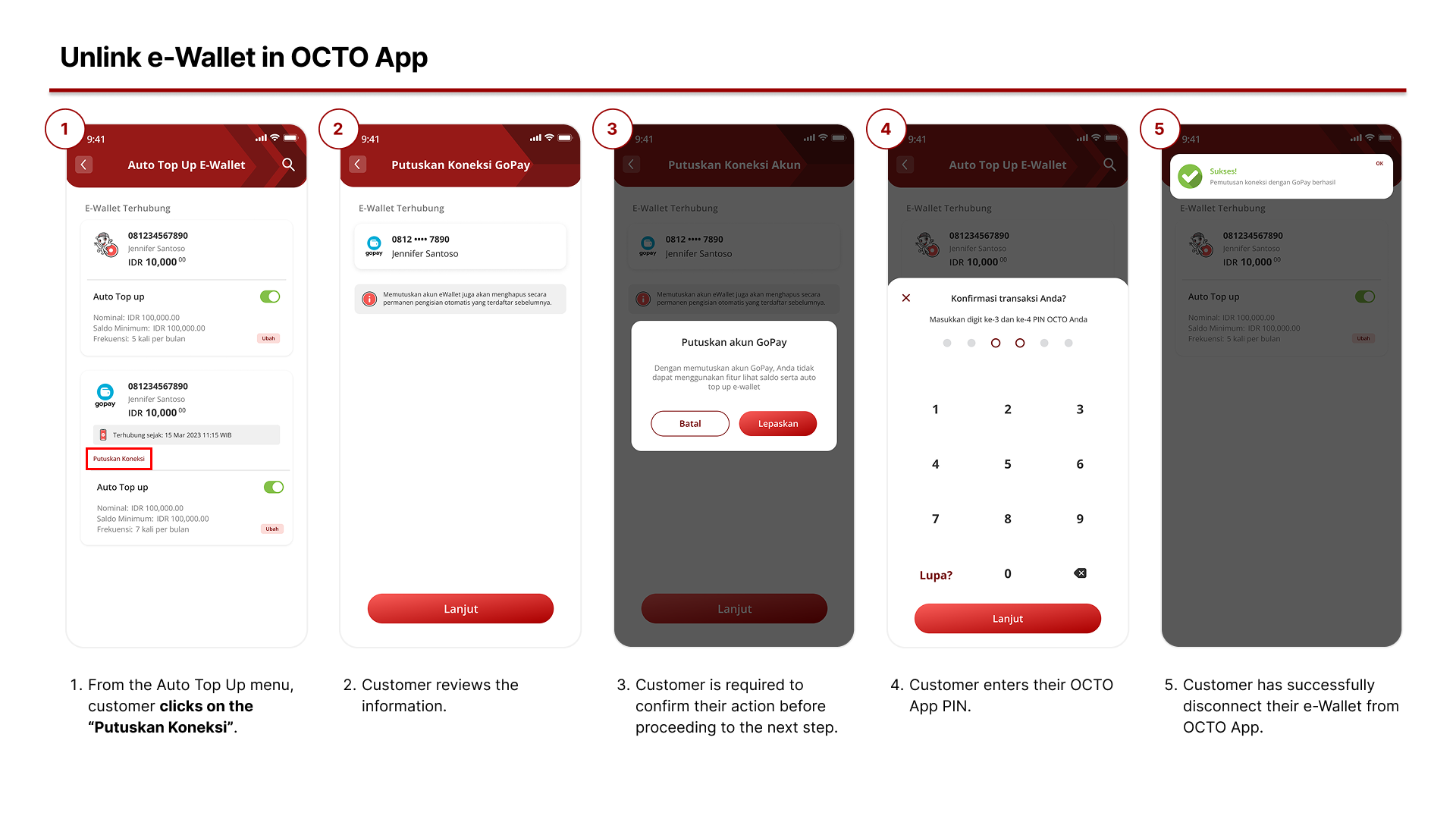
How to Unlink my e-Wallet?
Frequently Asked Questions:
- What are the benefits of linking my e-Wallet to OCTO App? By linking your e-Wallet account to OCTO App, you can view your e-Wallet balance directly from both channels and enjoy the convenience of the auto top-up feature.
- I want to link my OCTO App to an e-Wallet account, but I don’t have an e-Wallet at all. What should I do? OCTO App can only be linked to an existing registered e-Wallet account. You will need to register with an e-Wallet provider first before linking it to OCTO App.
- If my e-Wallet is already linked to OCTO App, can I disconnect it later? Yes, you can disconnect a linked e-Wallet anytime by tapping the “Disconnect” button under e-Wallet connections in OCTO App.
- If I have already set up an auto top-up for my e-Wallet, can I change the amount or stop it? Yes, you can adjust the auto top-up settings you’ve previously set, including editing the amount or deleting the auto top-up entirely.
- What is auto top-up and what settings can I customize? Auto top-up is a feature that ensures your linked e-Wallet always has sufficient balance according to your needs. For example, if you make a purchase with your e-Wallet and the balance reaches the pre-set minimum, the system will automatically top it up. You can customize the minimum balance threshold to trigger auto top-up, the auto top-up amount, the source of funds for auto top-up, and the maximum number of auto top-ups per month.
- Can I set up auto top-up for my e-Wallet using a credit card as the source of fund? Currently, auto top-up in OCTO App can only be done using a savings account as the source of fund. Please stay tuned to CIMB Niaga’s social media and website for future updates on additional source of fund options.
- Will there be any admin fees for using auto top-up in OCTO App? Auto top-ups will be charged the same top-up fees currently applied on OCTO App. Please check CIMB Niaga’s social media and website for any future promotions related to this fee.