Promo OCTO at Terazzo Food Venue, Festival Citylink Mall Bandung
Periode Program: 14 Jul 2026 - 13 Jul 2027
Terms and Conditions of the Program:
- Program Period: July 14th, 2026-July 13th, 2027
- Open Savings Account at the CIMB Niaga Booth and Get Merchandise
- Valid for all Terazzo Food Venue Visitors
- Valid for CIMB Niaga new Customers (New to Savings) and Existing Customer opening new Account (New to Account)
- Requires opening a regular savings account with an initial deposit as per the scheme below:

- Not valid for Tabunganku, Tabungan Syariah Wadiah dan Junior savings account.
- Limited to one redemption per CIF/ID Card (KTP) during the program period.
- Customers will receive the merchandise immediately on the same day the saving account is opened
- Opening a savings account must be done through the OCTO App.
- The program cannot be combined with other CIMB Niaga savings programs.
- Program tidak dapat digabungkan dengan program Tabungan CIMB Niaga lainnya
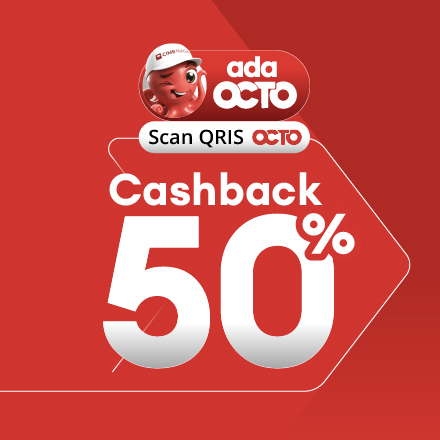
- Promo Cashback 50% by scanning QRIS OCTO
- Cashback 50% (maximum Rp 10.000) per transaction by scanning QRIS OCTO, detail below:

- No minimum transaction applied.
- The promotion is valid daily at Terazzo Food Venue located at 3rd Floor Festival Citylink Mall, Bandung. (Tenant Click here)
- The promotion cannot be converted into cash, does not apply multiplicatively, and cannot be combined with other promotions.
- The maximum QRIS limit determined by Bank Indonesia is Rp10,000,000 per transaction.
- Cashback will be credited in real-time or within a maximum of 1×24 hours to the OCTO Pay balance registered in the customers OCTO.
- If eligible, customers will see potential cashback information on the transaction summary page of the OCTO application.
- CIMB Niaga and Festival Citylink Mall have the right to change the terms and conditions of the program at any time, and/or terminate this program with prior notice.
- CIMB Niaga & Festival Citylink Mall has the right to cancel cashback benefits if there are indications of abuse, fraud, manipulation or non-compliance with the applicable program terms & conditions.
Transactions Steps with QRIS OCTO
- Log in to the OCTO Application
- Enter the passcode sent via One Time Password (OTP)
- Access the OCTO Screen and select the Pay QRIS menu
- Scan the QRIS Barcode at the Merchant
- Fill in or check the transaction amount for QRIS
- Select OCTO Pay funds and promo code (if available)
- Confirm the OCTO Moblie PIN
- Notification when the transaction has successfully debited the Customers funds
Transactions Steps with OCTO Vending:
- Customers select product in OCTO Vending
- QR code will be generated on OCTO Vending Screen
- Scan Barcode QRIS by using OCTO or other apps
- Payment Confirmation
- Payment done and the selected product ready to take from OCTO Vending.
Disclaimer:
- CIMB Niaga & Merchants reserve the right to cancel cashback benefits if there is any indication of misuse, fraud, manipulation, or non-compliance with the applicable terms & conditions of the program.
- The availability, quality, type, price, suitability, timing, and delivery process of goods and/or services provided by the Merchant to the Customer are entirely the responsibility of the Merchant.
- Any data and transaction instructions made by the Customer using QRIS OCTO are entirely the responsibility of the Customer.
- All claims for returns or exchanges are the sole responsiblity of the Merchant and must be directly made by the Customer to the Merchant.
- For more information on how to make online shopping payments using OCTO, customers can visit the website branchlessbanking.cimbniaga.co.id or contact CIMB Niaga services through Ask OCTO via the OCTO App or WhatsApp at 081197814041.