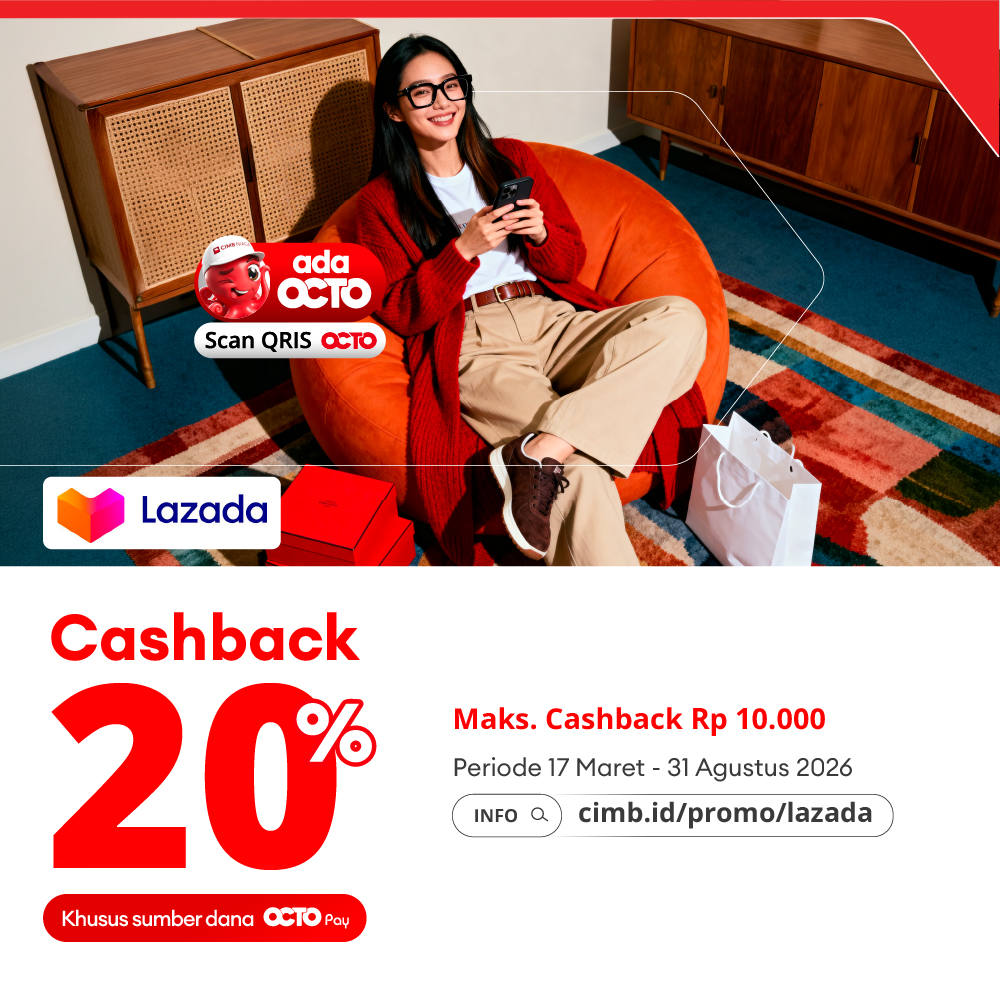
Cashback 20% at Lazada using scan QRIS OCTO
Periode Program: 17 Mar 2026 - 31 Aug 2026
Program Terms and Conditions:
- Program Period: March 17th-August 31st,2026
- Cashback 20% (maximum Rp 10,000) per transaction on the Lazada mobile app, payment via scan QRIS OCTO.
- To get the promotion, users must select the funding source: OCTO Pay on the QRIS barcode available on the Lazada mobile app.
- Promotion is valid for the first 50 transactions, every day.
- The promotion is valid every day, with no minimum transaction required.
- The promotion is only valid for transactions made on the Lazada mobile app and does not apply to transactions via Lazada web.
- One customer can get a maximum of 1x cashback/day /week /month per OCTO account during the period.
- Cashback will be credited in real-time or within a maximum of 24 hours to the OCTO Pay balance registered in the Customer’s OCTO Mobile app.
- The promotion cannot be redeemed for cash and cannot be combined with other promotions.
- If a customer is eligible for cashback, a potential cashback notification will appear on the transaction summary page of the OCTO Mobile app.
- By participating in this program, the customer agrees to take part in the promotion in accordance with the applicable terms and conditions.
- You can customize your preferences and relevance for promotional messages received and the communication media used by contacting CIMB Niaga service at 14041
- CIMB Niaga & Lazada has the right to cancel cashback benefits if there are indications of abuse, fraud, manipulation or non-compliance with the applicable program terms & conditions.
Steps to transact using OCTO QRIS scan:
- On the Checkout page in the Lazada mobile app, select the payment method via QRIS, then click Confirm Selection.
- Then click Place Order.
- Lazada QRIS barcode will appear on the screen, click Save QR Code or take a screenshot of the QR barcode page.
- Open the OCTO app and log in.
- Enter the passcode that will be sent via One Time Password (OTP).
- Go to the OCTO screen and select the Pay QRIS menu.
- Enter the QRIS barcode that was previously saved.
- Fill in or check the QRIS transaction amount.
- Customers must select the source of funds: OCTO Pay to receive cashback.
- Confirm the OCTO PIN.
- Notification will appear once the transaction has successfully debited the customers source of funds.
Disclaimer:
- CIMB Niaga & Merchants reserve the right to cancel cashback benefits if there is any indication of misuse, fraud, manipulation, or non-compliance with the applicable terms & conditions of the program.
- The availability, quality, type, price, suitability, timing, and delivery process of goods and/or services provided by the Merchant to the Customer are entirely the responsibility of the Merchant.
- Any data and transaction instructions made by the Customer using QRIS OCTO are entirely the responsibility of the Customer.
- All claims for returns or exchanges are the sole responsibility of the Merchant and must be directly made by the Customer to the Merchant.
- For further information on how to make online purchases using OCTO, Customers can visit the website www.branchlessbanking.cimbniaga.co.id or contact Phone Banking 14041.